
ApliCAD CTE HULC
From the Revit model to energy certification without redrawing
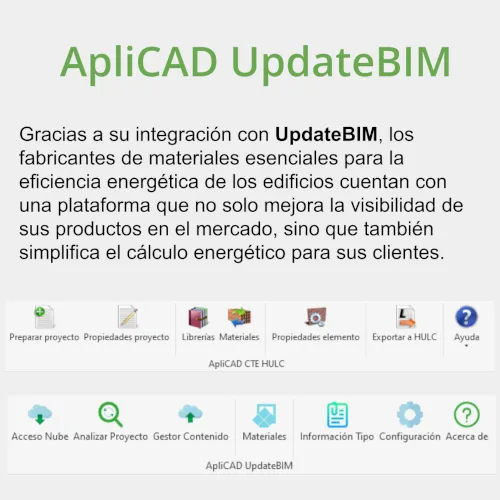
Autodesk Revit plugin that exports the 3D model with its materials to HULC, the Spanish unified LIDER-CALENER energy certification tool, without redrawing the building.
- Vendor
- ApliCAD Developed by ApliCAD
- Works with
- Revit
- Annual rental
- Request a quote
ApliCAD CTE HULC simplifies the tedious task of drawing the geometry and assigning materials to the different layers of a building’s architectural solutions.
Because the work is done in Autodesk Revit, solving junctions, collaborating with other departments or simply having features such as Undo make the building’s energy certification process easier.
Even for the energy certification of an existing building, it is simpler to model the building in Revit and send it to HULC for calculation.
Features
From the Revit model to energy certification without redrawing
Geometry and materials from Revit
Exports walls, floors, roofs, openings and their layers with the materials assigned in the model.
Junctions solved in the model
Element junctions are resolved in Revit, with Undo and collaboration across departments.
Existing buildings
Modelling the building in Revit and sending it to HULC is faster than drawing it inside the calculation tool.
Questions about ApliCAD CTE HULC
Which Revit versions are supported?
Every Autodesk Revit version from 2019 to 2027. Each new Revit release is supported as soon as it ships.
How is it licensed?
Rental licence, monthly or annual, with technical support included.
Related products
 Autodesk developers · ADN since 1997
 Autodesk Revit
Autodesk's BIM platform for architecture, structures and MEP. The base on which UpdateBIM and ApliCAD CTE HULC run.
UpdateBIM
Platform to standardise and distribute Revit families among internal and external collaborators, with document management. Private Cloud and Manufacturer editions.
- Revit