New management of .txt files in .rfa insert families

One of the features of Revit with .rfa insertable families is that in the case that a family has multiple types with variable parameters that determine the behavior of the family for each of the types, is to use a family type definition file. This file must have the same name as the family file with the extension .txt.

If we already have the family and the .txt file, when we register the family from UpdateBIM, the program reads the information from the .txt file to create in the database as many types as are defined in the .txt file.

The structure of this .txt file is basically a .csv file, so that it can be opened with for example the Excel spreadsheet to be able to modify some of the data, or to register/download some of the types.
How to generate a new .txt file

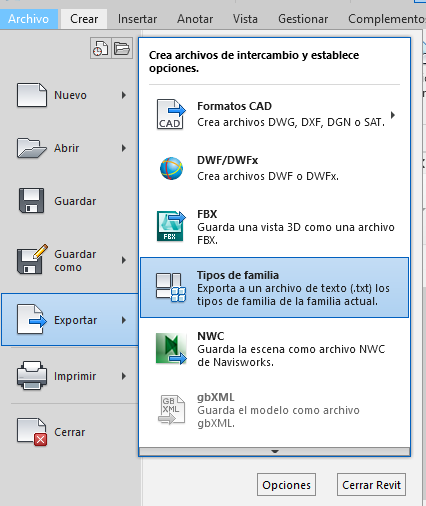
From the editing window of the family that you want to create the txt file, go to File > Export, as shown in the image, and use the “Family types” option.

The program proposes the creation of a file with the same name of the family, but with the extension .txt.

One of the advantages of using .txt files is that when using ApliCAD UpdateBIM to insert the family in the project, we can select one or more types to load and it is not necessary that they are all in the project.

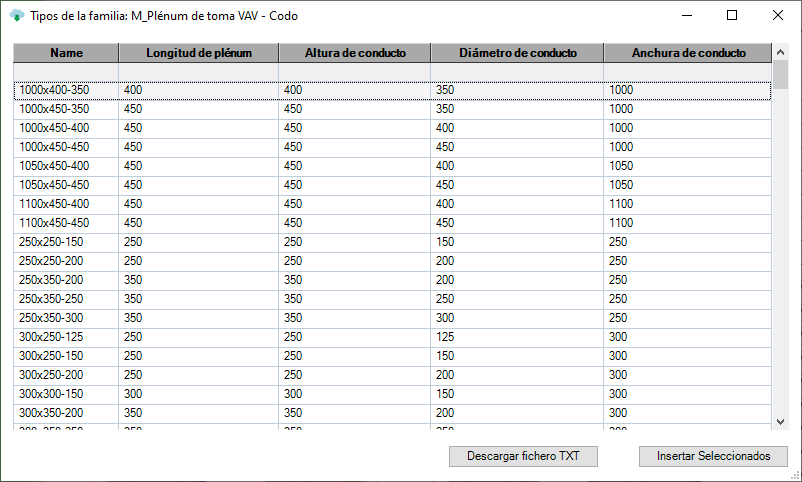
Inserting more than one type in the project

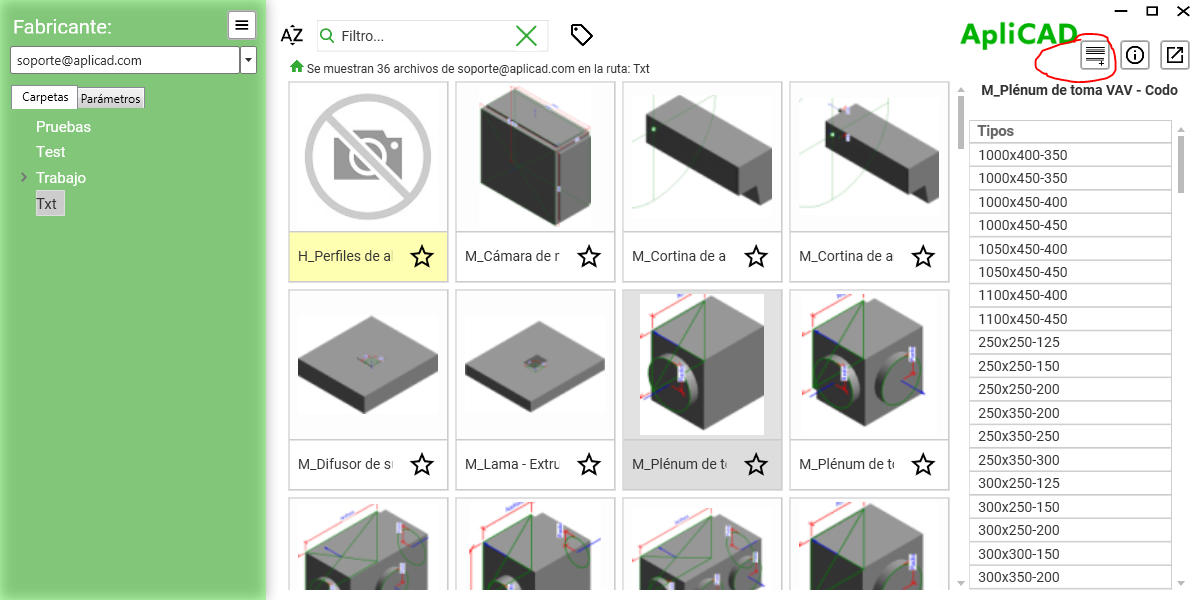
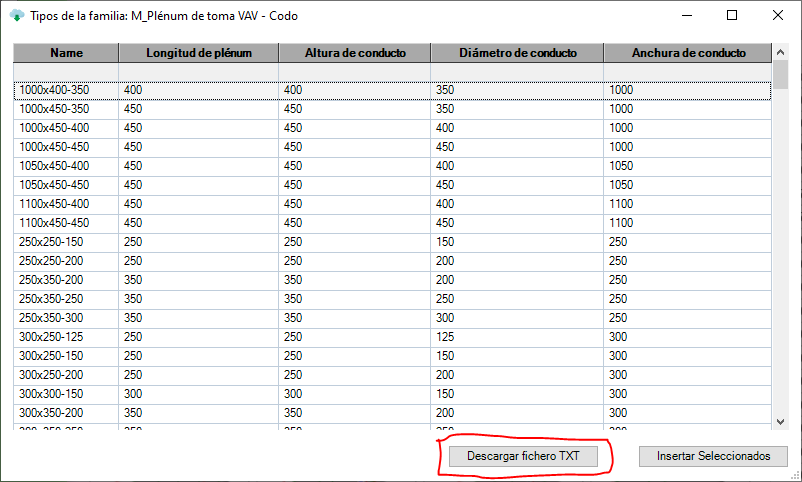
If the selected family has an associated .txt file, a new button appears on the form that allows you to access the list of available types.

It should be noted that if more than one type is selected, the program will generate the types in the project, but it will not launch the insertion of any of them, so that as it happens with Revit when a family is loaded, it must be the user who accesses the Revit function to choose the desired family.

Get the .txt file from UpdateBIM

If we are as catalog administrators and we access through the Content Manager, to any of the families that have .txt files, in the list of available types window, we can see that a new button “Download TXT file” appears, which allows us to select a directory in which the program will generate the .txt file with the name of the family.

This file can be edited to modify any of the types, or to add a new one, and then, having the family file, proceed to update the family, being from that moment available for use by any user who has access to our catalog.